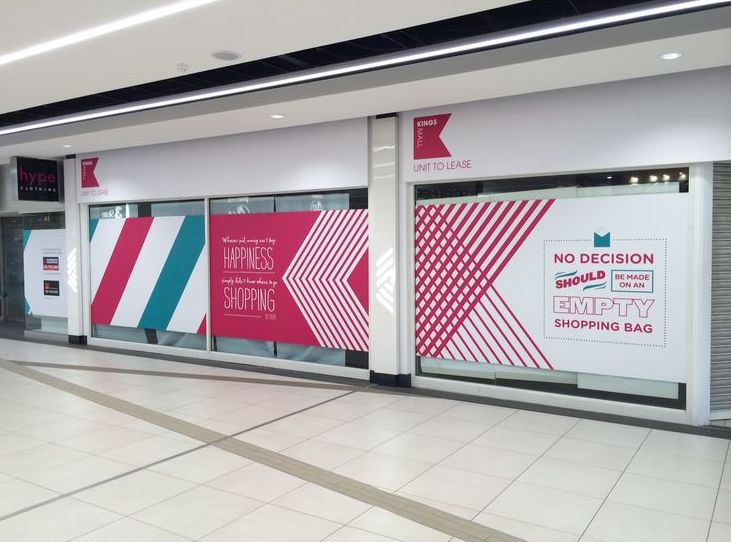

Ever found yourself lost in a hospital searching for the correct department? Ever wandered around a shopping centre in circles and couldn’t find that one place you need to go to? You’re not alone.
The majority of people have difficulty navigating large buildings. This issue costs companies actual money. Bad navigation results in $62 billion in lost sales annually. If customers can’t find what they are searching for, they leave. They don’t return. And they tell others about it.
The best news? You can solve this issue with the proper wayfinding displays. These signs and systems make it easy for people to get around. They transform confusing spaces into spaces where everybody knows where they are going.
Table of Contents
ToggleKey Takeaways
- Effective wayfinding lowers visitor stress and boosts satisfaction, directly enhancing your business outcomes.
- Adding digital and static signage provides you with flexibility while keeping costs under control.
- Sustaining a regular maintenance program keeps your wayfinding investment in operation for years to come.
- Evaluating success using several different metrics enables you to justify your investment and identify areas for improvement.
What Are Wayfinding Displays?
Wayfinding displays are signs and systems that guide people through buildings and spaces. They inform you where you are and where you need to go. Imagine them as good guides that never rest.
These displays come in many forms. You’ve seen simple signs with arrows pointing to different departments. You’ve also seen digital wayfinding displays for shopping centres with interactive maps. They inform you where you are and how to go where you want to go.
Why Wayfinding Matters: User Experience and Psychology
When individuals become lost, their bodies respond with stress. Their hearts race. They begin to sweat. They are unable to think. This is referred to as “spatial anxiety” and causes individuals to desire to exit your building as quickly as possible.
Good wayfinding does just the opposite. When people know where they are going, they become relaxed. Research indicates that effective wayfinding can increase customer satisfaction by 35%.
How to Select the Proper Wayfinding Display
Choosing the correct wayfinding display begins with getting to know your space and your guests. Every building is unique. Every set of users has unique needs. You need to match your displays to both.
Key Factors to Keep in Mind
- Traffic Flow: Observe where individuals tend to walk and stop. Approximately 80% of directional decisions occur at intersections and entrances.
- Your Visitors: A hospital requires distinct signs from a tech firm. Take age, language, and any exceptional needs into account.
- Your Environment: Indoor signs do not require weatherproofing. Outdoor signs do. Consider lighting, sightlines, and weather.
Digital vs. Static Displays: Which Do You Use?
You don’t have to use only one or the other. Most successful buildings employ both digital and static displays. Here’s how wayfinding displays function best in various situations.
When to Use Digital Displays
- For schedules and events that change
- In areas where you need multiple languages
- When you want to show real-time updates
- If you have the budget for it
When to Use Static Displays
- For permanent directions that don’t change
- In areas without electricity
- When you have a tight budget
- For safety and compliance signs
Many wayfinding signage Melbourne experts suggest using static signs for basic directions and digital displays in busy areas where you need flexibility.
How to Design Clear and Easy-to-Follow Wayfinding Displays
Good wayfinding design is simple and clear. Forget fancy designs that look pretty but confuse people. Your signs need to communicate quickly and clearly. People should understand them in seconds, not minutes.
Start with the most important information. Make it big and bold. Less important details should be smaller. Be consistent in the words you use – if you label it “Cafeteria” on one sign, don’t label it “Dining Hall” on another.
Maintain consistency in your design from one end of the building to the other. This is one of the most significant wayfinding display design best practices you can use.
Using Colours, Fonts, and Symbols Effectively
Colours are not mere ornamentation. Colours convey meaning. Blue is calming – ideal for hospitals. Green is “go” or “safe” – ideal for exits. Red is attention-grabbing – employ it for emergencies. Yellow is visible in the dark.
Fonts count as well. Use plain, unadorned fonts such as Helvetica or Arial. Avoid funky scripts or decorative fonts. Ensure that your text is large enough to read from a distance.
Symbol Usage
- Use universal symbols everyone recognises
- Combine symbols with text for clarity
- Keep symbols simple and bold
- Test symbols with real users
Making Your Displays Accessible (DDA Compliance)
Accessible design isn’t just about following laws. It’s about helping everyone navigate your space. As you design for individuals with disabilities, you make it easier for everyone to navigate.
DDA Requirements Include
- Text size based on viewing distance
- 70% contrast between text and background
- Braille and raised letters for important signs
- Mounting heights between 1200mm – 1500mm
Common Design Mistakes and How to Avoid Them
Even good intentions can result in poor wayfinding. Learning from typical errors saves money and time. Below are the largest issues we encounter and how to correct them.
- Using different terms for the same place
- Forgetting to update old signs
- Making text too small
- Putting signs where they’re obstructed by doors or corners
Step-by-Step Guide to Installing Wayfinding Displays
Installing wayfinding signs requires thorough planning. You can’t simply post signs wherever and expect them to work. Use this step-by-step process for the best outcome.
- Create detailed floor plans with all rooms and pathways marked
- Map common journeys visitors take through your space
- Mark decision points where people need directions
- Test sign visibility from different angles
- Install primary signs for main routes first
- Add secondary signs for less common destinations
- Do test walks with people unfamiliar with your building
Indoor vs. Outdoor Displays: What You Need to Know
Indoor and outdoor displays face different challenges. Indoor signs have it easier – no rain, wind, or extreme temperatures. But they still need to work with your building’s lighting and design. Indoor wayfinding solutions for hospitals and shopping centers often use materials that match the interior design while staying visible.
Outdoor displays battle the elements every day. Sun fades colors. Rain causes rust. Wind can knock signs over. You need tough materials and smart design to make outdoor signs last. Think about visibility in different weather conditions too. That perfect sign might be invisible in heavy rain or bright sun.
Weatherproofing Tips for Outdoor Wayfinding
Outdoor sign protection begins with the selection of materials. Aluminium does not rust. Treated lumber manages moisture. Special plastics won’t deteriorate under the sun. But material selection is only the first step.
Design is important as well. Apply UV-resistant coatings to avoid fading. Calculate wind load so signs don’t get blown away. Seal all edges and joints where water may penetrate. Inspect your signs every three months for damage. Repair small issues before they become large issues.
Where Wayfinding Displays Make the Biggest Impact
Various spaces require different wayfinding. What may be applicable in a hospital may not apply to a shopping centre. Knowing these helps you design improved navigation systems. Let’s consider where good wayfinding is most impactful.
-
Hospitals
Hospitals see immediate benefits from good wayfinding. When patients can find their appointments, they arrive on time and are less stressed. That’s because clear directions reduce anxiety during already stressful hospital visits.
-
Retail Stores
Shoppers who can find what they want buy more. It’s that simple. Interactive signage for navigation purposes helps customers find products faster. They spend less time frustrated and more time shopping. Some stores even use wayfinding to guide customers past promotional items.
-
Offices and Campuses
Large office buildings and campuses confuse visitors daily. Good wayfinding cuts visitor check-in time. Employees waste less time giving directions. Delivery people find the right offices faster. Everyone saves time and frustration. Best wayfinding systems for large buildings pay for themselves through improved efficiency.
-
Apartments and Hotels
Screens in lobbies help residents and guests stay updated. You can show the weather, upcoming events, or when building work is happening. They are also great for everyday reminders, like which bins to put out or specials at the cafe. Placing screens on every floor makes sure everyone sees important messages quickly.
Eco-Friendly Wayfinding: Energy-Saving Materials and Lighting
Getting green with your wayfinding is cost-saving and environmentally friendly. LED lights consume 75% less energy than traditional bulbs. Solar-powered signs require no power from the grid. Recycled material is just as good as new.
Smart decisions count. Install motion sensors so lighting is only activated when necessary. Select materials that come from near to lower shipping costs. Opt for signs that last longer, so you need to replace them less frequently. These decisions save you money in the long run while minimising your carbon footprint.
Future Trends: What’s Next for Wayfinding Technology
Wayfinding technology trends 2025 indicate thrilling times ahead. Augmented reality will enable individuals to hold up their phone over an area and view directions superimposed onto their screen. AI programs will acquire knowledge from users’ actions and recommend more efficient routes.
Personalisation is the next big thing. Imagine wayfinding that knows you use a wheelchair and only suggests accessible routes. Or systems that remember where you parked and guide you back. These technologies will become common soon. The future of wayfinding is smart, personal, and incredibly helpful.
How to Maintain and Update Your Wayfinding Displays
Good wayfinding needs regular care. Dirty or damaged signs don’t help anyone. Set up a maintenance schedule and stick to it. This keeps your investment working properly for years.
Digital displays need software updates and content management. Static signs need cleaning and occasional replacement. Check your signs monthly for basic issues. Do deep cleaning every quarter. Run a full system audit once a year. Fix problems immediately – one broken sign can confuse hundreds of people.
Maintenance Checklist
- Monthly visual checks for damage
- Quarterly deep cleaning
- Annual comprehensive review
- Immediate repairs when needed
- Regular content updates for digital displays
Fixing Common Wayfinding Problems
When wayfinding fails, you need quick solutions. Here are the most common problems and how to fix them.
- If visitors consistently miss turns, add confirmation signs after decision points.
- When people look confused at entrances, simplify your information hierarchy.
- Language barriers cause many wayfinding problems. Add universal symbols that everyone understands.
- If certain areas always generate questions, your signs aren’t clear enough. Watch where people struggle and add better signage there.
Sometimes moving a sign just a few feet makes all the difference.
Measuring Success: How to Track Your Wayfinding ROI
You need to measure your wayfinding success to prove it’s worth the investment. Track multiple metrics for the full picture. Count how many people ask for directions before and after the new signs.
Most organisations see returns within 12-18 months. They save money on staff time. Customer satisfaction goes up. Sales increase. These benefits of digital wayfinding displays are measurable and meaningful. Document your improvements to justify future wayfinding investments.
Real-World Examples: Case Studies
Learning from successful implementations helps you avoid mistakes and copy what works. Let’s look at how different organisations transformed their spaces with better wayfinding.
-
How Wayfinding Improved Navigation in Public Spaces
London created a city-wide walking navigation system called Legible London. It reduced journey planning time by 65%. People walked 5% more because they felt confident about finding their way. The system uses a consistent design across the entire city. Now, other cities copy this successful model.
-
Successful Wayfinding Display Implementations and Their Impact
UCLA Medical Centre redesigned its entire wayfinding system. Patient stress scores dropped by 33%. Late appointments decreased by 27%. They combined static displays with interactive wayfinding displays for user experience. The mix of simple and high-tech solutions serves all visitor types. Patients, visitors, and staff all report easier navigation.
Frequently Asked Questions
1. How much do wayfinding display systems typically cost?
Basic static systems for small buildings start around $5,000−10,000. Large digital systems for big facilities can cost $50,000−500,000, depending on size and technology.
2. Can wayfinding displays connect with smartphone apps?
Yes, modern systems use QR codes or Bluetooth to connect with phones. This provides personalised navigation and real-time updates right on your device.
3. How long does it take to install a wayfinding system?
Small projects take 2-3 months from start to finish. Large installations need 6-12 months including planning, design, making the signs, and installation.
4. What permits do I need for wayfinding displays?
Most commercial signs need building permits. You must also follow local sign rules and DDA regulations. Check with your local building department first.
5. How do I know if my wayfinding is working?
Track visitor questions, satisfaction surveys, and time to destination. If these numbers improve after installation, your wayfinding is working.
Conclusion
Better navigation transforms confused visitors into happy customers. It doesn’t matter whether you’re obligated to install wayfinding systems in public areas or hope to improve the user experience through navigation signage; success lies in knowing what your visitors require.
The investment in good wayfinding returns itself in the form of happier customers, more sales, and less staff time. When you create wayfinding displays with better UX, you’re making an investment in your business’s future prosperity.
Ready to revolutionise your space with expert wayfinding solutions? Window n’ Wall Graphics designs customised wayfinding systems that function flawlessly for your specific purposes.
From designing to installation and upkeep, we can assist you in creating navigation that brings return visitors. Reach out to us today to learn how our team can address your wayfinding problems and design a place where no one ever gets lost.